EA SPORTS FC 27 Closed Beta Controls & Authentic Gameplay
Input reference for PS5, Xbox Series X|S, PC, and Switch 2 during the Closed Beta test window.
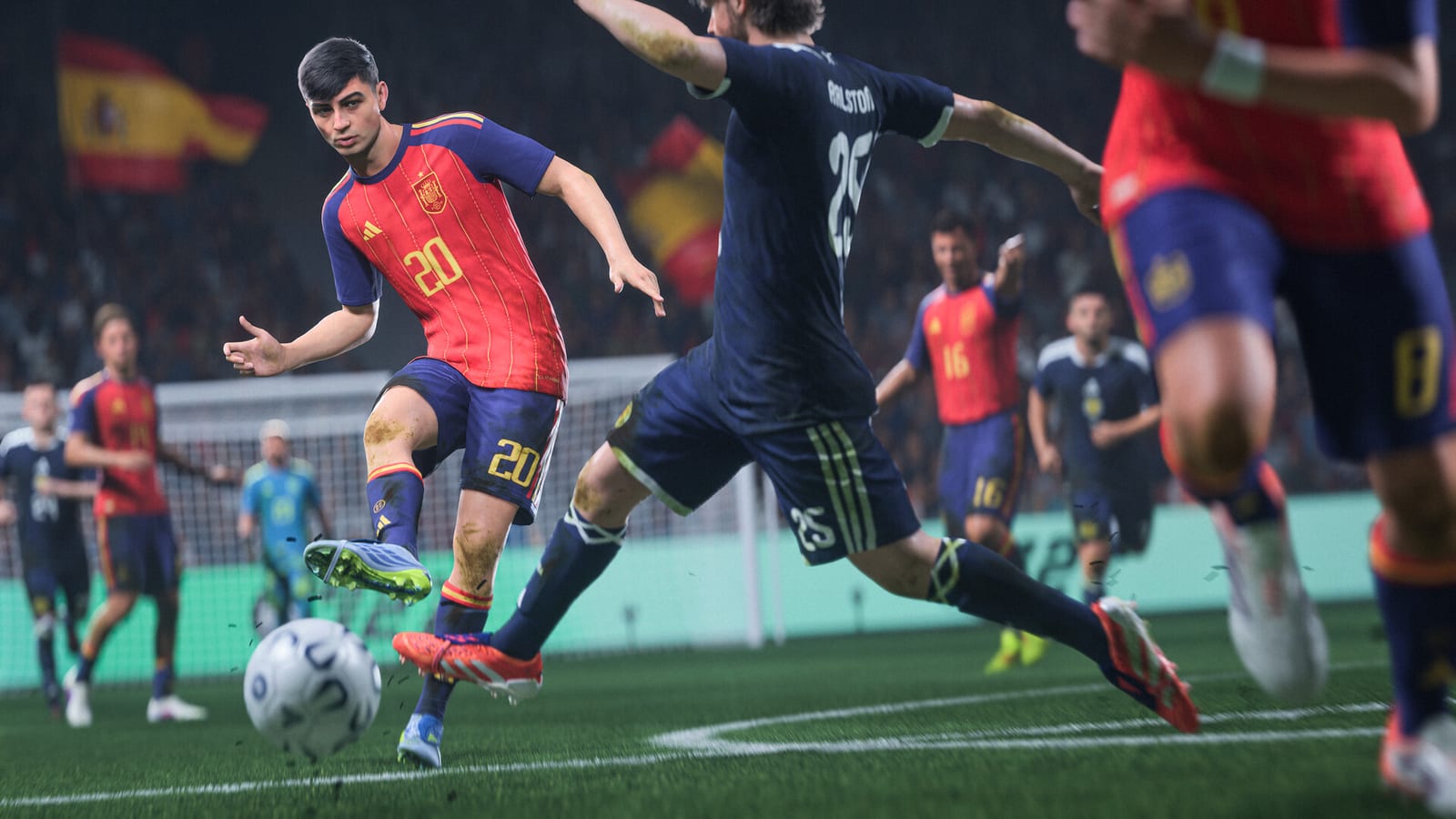
EA SPORTS FC 27 pushes Authentic Gameplay — a direction that emphasizes player-focused defending, sharper attacking awareness, and set-piece nuance including dynamic corners. During the Closed Beta (Aug 5–25, 2026), controls on PlayStation 5, Xbox Series X|S, PC, and Nintendo Switch 2 may receive tuning patches weekly. Retail launch is September 25, 2026; early access begins September 18 for Ultimate and Ultimate Plus. This guide explains inputs and habits that survive beta patches, with links to mode guides where mechanics differ between The Grounds small-sided pitches and full 11v11 matches.
Authentic Gameplay in one paragraph
Authentic Gameplay is not a single slider — it is a bundle of systems: manual defending rewards, reduced magnetic tackles, richer off-ball runs, and set pieces that react to routines you choose. If you enter beta expecting FC 25 auto-defend rhythm, you will misread input delay that is actually intentional jockey pacing. Reset habits early; use The Grounds Rush queues as low-stakes labs before ranked or Career fixtures.
Read What’s New Review for feature names tied to pitch behavior, and Closed Beta Playbook for when to schedule control-focused sessions during testing.
Competitive Gameplay vs Authentic Gameplay 2.0
FC 27 deliberately splits online and offline tuning.
Competitive Gameplay is the responsiveness-first stack built for human-versus-human modes — FUT champs ladders, online Seasons, Stadium Drop In from The Grounds, and other matchmade PvP. The Gameplay Deep Dive defending rebalance (reduced auto-tackle magnetism, manual jockey rewards) targets this layer. Most drills on this page assume Competitive defaults unless you explicitly load an offline preset.
Authentic Gameplay 2.0 is the Career-focused authenticity pass: heavier grounded movement, distinct CPU tactical identities, evolving opposition plans, environmental slip on sharp turns, and 25 new gameplay sliders plus 10 CPU sliders — including separate CPU Teammate and CPU Opponent tuning for Player Career lock-to-player sessions. This stack prioritizes simulation variety over frame-perfect online balance.
| Layer | Best for | Control takeaway |
|---|---|---|
| Competitive Gameplay | Grounds Rush PvP, online ranked, manual defending drills | Same inputs; less AI contain safety net |
| Authentic Gameplay 2.0 | Manager Career, Player Career, offline friendlies | Sliders change CPU runs while you jockey manually |
If you practice jockey timing only in Competitive Rush, Career fixtures on Authentic presets may feel sluggish until you adjust sliders — cross-read Career Mode for Dynamic OVR and CPU behavior, and System Requirements before assuming performance issues are input lag rather than Authentic movement weight on your platform.
Default layout philosophy
FC 27 retains familiar attack/defend shoulder modifiers on console while PC players remap heavily. Beta testers should pick one layout for the entire window — constant remapping hides true balance changes logged on Updates.
Console baseline (PlayStation naming; Xbox analogs in parentheses).
- Pass / Cross / Through — Short and driven passes live on face buttons; lob and through balls use modifiers.
- Shoot / Finesse / Chip — Shot power on shoulder modifiers; finesse angles reward body positioning.
- Skill / Flair — Right stick or skill button combinations; small-sided formats in The Grounds amplify skill value.
- Switch / Teammate contain — Player switching is slower and deliberate; use right stick flick direction for intended target.
- Jockey / Tackle / Slide — Jockey is default defensive posture; standing tackle timing matters more than spam.
PC players: verify dead zones on sticks, toggle sprint on/off preference, and whether keyboard driven passes feel aligned with beta aim assist tiers.
Passing and attacking awareness
Attacking awareness shows up as smarter off-ball routes, delayed runs to stay onside, and wider passing lanes when defenders overcommit. The FC Feedback Deep Dive (August 5, 2026) added explicit tools worth drilling in beta:
Triggered Curved Runs. Manual run triggers now support curved paths—Tap L1+R1 (LB+RB) to call a runner to bend behind a line instead of only straight channels. Practice aiming with the left stick and releasing the pass when the curve completes; mistimed releases produce offside traps that look like “broken AI” but are input timing issues.
Pass & Follow Runs. After playing a pass, use L1+R1+X (LB+RB+A) so the passer continues forward into the move with a curved follow. This replaces some legacy one-two automation with clearer player intent—essential for quick Grounds Rush combinations.
Run distance caps. Attackers stop unrealistic marathon runs; expect shorter, sharper movement that rewards timed triggers over spamming through balls. Combine Triggered Curved Runs with caps by calling shorter arcs instead of straight 40-yard sprints.
Manual through and dinked passes. More pass types require deliberate modifiers—driven through balls, dinked lobs, and weighted throughs punish lazy face-button taps. Read the requirement chip in skill games if your build exposes tutorial prompts.
Test with these drills:
- Third-man runs — Hold possession with two touch passes until a winger triggers a delayed run; release through ball on green timing.
- Wide overloads — Play 3v3 Rush in The Grounds and compare crossing targets to full-match wide play.
- Dynamic corners — Select near-post, far-post, and short routines; watch whether attackers adjust to defensive setups mid-animation.
If through balls feel weak, confirm you are not comparing small-sided stadia to full pitch camera zoom — beta FOV settings alter depth perception.
Player-focused defending
Player-focused defending asks you to control the nearest defender with jockey, contain, and timed standing tackles instead of relying on AI contain magnets. The August 5 Feedback Deep Dive reinforces less AI auto-defending, faster manual jockey response, and clearer separation between your inputs and teammate AI.
Core habits.
- Hold jockey to mirror dribblers; release briefly to sprint catch-up on straight channels.
- Use right stick switching to select fullbacks when central mids are beaten — do not assume auto switch fixes overloads.
- Contain sparingly; overuse pulls shape out of position in Authentic Gameplay. Expect weaker auto-contain magnets—if a dribbler walks past your defender, verify you were jockeying manually rather than assuming AI recovery.
- Slide tackles only as last resort — beta foul tuning may be harsher than launch.
Off-balance dribbling (next-gen, PC, Switch 2)
Off-balance dribbling ships on PlayStation 5, Xbox Series X|S, PC, and Nintendo Switch 2 builds. Contacts and sharp direction changes push attackers into stumble animations unless you use protect ball, shield, or lighter touch inputs to recover composure. Small-sided The Grounds queues are the fastest lab—chain two defenders and note whether your player regains balance before the next touch.
Last-gen consoles and original Switch may use simplified dribble physics; label platform when filing feedback.
Schedule ten-minute defending-only sessions in Kickabouts before blaming Career AI on Career Mode difficulty spikes. Dynamic OVR form swings amplify defensive mistakes — a tired fullback jockeys slower even if inputs are perfect.
Set pieces and dynamic corners
Set pieces inherit dynamic corners — routines that adapt if defenders mark zones differently. The Gameplay Deep Dive (July 29, 2026) adds a pre-delivery control window after you aim a corner: the camera shifts toward the box so you can move, switch, call runs, Shield, or trigger Avoidance before the ball arrives. Short corners skip that window and return to your normal camera.
Avoidance (new). During the corner delivery window, hold R1 (PlayStation) / RB (Xbox) to make the controlled attacker or defender more evasive through crowded boxes. Pair Avoidance with Shielding to create and hold space. Free movement means players no longer auto-magnet to the perfect header spot—you must time the run.
Crossing rework. Crosses deliver into space more often; aim and power matter more, and clean headers are rarer but more accurate when you connect.
Practice:
- Near-post flick-ons with tall targets after calling a crowded box routine.
- Short corners to draw press, then third-man overlap.
- Avoidance + Shield rehearsals on five corners per side before blaming AI marking.
- Free kick wall jumps and layoff runs if beta enables expanded FK menus.
Record platform and camera height when reporting broken corner animations — dynamic routines fail more often on specific stadium assets.
Platform notes: PS5, Xbox, PC, Switch 2
PS5 DualSense — Test adaptive trigger resistance on sprint and shoot if enabled; some beta builds disable haptics.
Xbox Series X|S — Compare input latency wired versus wireless; beta netcode exaggerates small delays.
PC — Document frame rate caps; uncapped FPS can desync skill move timing with server tick in extreme cases.
Nintendo Switch 2 — Verify handheld versus docked performance in The Grounds crowds; input lag reports must note mode.
The Grounds is supported on these platforms in pre-release materials; always cross-check your invite tier in the Closed Beta Playbook.
Small-sided vs 11v11 control differences
Small-sided formats compress space — skill moves, manual jockey, and first-touch errors punish faster. Full matches reward switch discipline and wide shape. Rotate both so FUT champs habits do not break Career wide play.
| Context | Emphasis |
|---|---|
| The Grounds Rush | Tight dribbling, quick switches, low recovery time |
| Career league | Shape, stamina, dynamic OVR fatigue |
| FUT competitive | Meta skill moves, set piece routines, connection stability |
Link FUT-specific squad pacing to FUT Gallery evolution grinds — tired players misinput even perfect layouts.
Accessibility and settings to verify in beta
Open settings each patch and confirm:
- Analog sprint versus button sprint for Authentic Gameplay fatigue modeling.
- Pass block assistance levels — note exact label text when reporting bugs.
- Camera — Tele/Broadcast/Co-op; pick one for the beta duration.
- Colorblind and UI scale options if available on your platform.
Accessibility regressions belong in feedback with screenshots — they are launch blockers even if meta discussions ignore them.
Advanced practice routine (30 minutes)
Minutes 0–10: The Grounds 2v2 — jockey-only defending, no slide tackles.
Minutes 10–20: Skill games or training if enabled — driven passes and timed finishes.
Minutes 20–25: Corner routine batch — five dynamic corners per side.
Minutes 25–30: One full match focusing solely on manual switching stats — count mis-switches.
Log results privately; compare after Updates patches land.
Meta links: tier lists, tools, codes
Controls do not exist in a vacuum. When skill move efficiency shifts, Tier List authors update move priorities — check there after major patches. Tools will host sensitivity calculators and custom tactic exports as they ship. Cosmetic flair from Codes never changes inputs but may distract in crowded Grounds instances — separate visual clutter from control bugs.
Sibling guide links
- Guides Hub — All FC 27 walkthroughs.
- Closed Beta Playbook — Testing schedule.
- The Grounds — Small-sided control lab.
- Career Mode — Dynamic OVR and fatigue context.
- FUT Gallery — Squad building between matches.
- What’s New Review — Gameplay feature summary.
Mastering FC 27 controls during beta is an investment in September — Authentic Gameplay rewards patience, dynamic corners reward rehearsal, and player-focused defending separates clip-worthy saves from rage-quits. Revisit this page after every patch note until launch.
Frequently Asked Questions
Quick answers to the most common questions.
What is Authentic Gameplay in EA SPORTS FC 27?
Authentic Gameplay is EA's direction for FC 27 emphasizing manual defending, smarter attacking runs, and nuanced set pieces like dynamic corners. Expect slower auto-contain and higher rewards for jockey and switch discipline.
Which platforms share the same FC 27 control baseline in beta?
Pre-release testing highlights PS5, Xbox Series X|S, PC, and Nintendo Switch 2. Note wired versus wireless, handheld versus docked on Switch 2, and PC frame rate when comparing input feel.
What are Triggered Curved Runs in FC 27?
Triggered Curved Runs let you manually call attackers on curved paths instead of only straight channels. Time the pass release when the curve completes to avoid offside traps.
How does Pass & Follow Runs work?
After playing a pass, use the follow-run input so the passer continues forward into the move. It replaces some legacy one-two automation with clearer player intent.
What is off-balance dribbling and where is it available?
Off-balance dribbling adds stumble and recovery animations after sharp contacts on PS5, Xbox Series, PC, and Switch 2. Use protect ball and lighter touches to regain composure.
Why does defending feel harder than FC 25?
Player-focused defending reduces magnetic tackles and demands jockey timing plus manual switching. Practice in The Grounds small-sided modes before judging difficulty in full Career or FUT matches.
What are dynamic corners and how do I practice them?
Dynamic corners adapt routines based on defensive marking. Run near-post, far-post, and short options in beta friendlies and record which animations break on specific stadiums or cameras.
Should I change controls after every beta patch?
Keep one layout for the beta window when possible so you can tell true balance changes from remapping confusion. Read Updates patch notes before resetting habits.
Where do control changes overlap with Career or FUT?
Inputs are shared, but stamina and Dynamic OVR in Career plus squad fatigue in FUT change how effective the same jockey timing feels. Cross-read Career Mode and FUT Gallery guides for mode-specific context.